Link-in Bio
A link in bio that shows what you actually use
Your Setup101 profile is your link in bio. Instead of a stack of buttons, followers see your setups and the products in them, with photos, plus the 101 Courses you teach. Every account gets one. Add featured products, an intro video, your other links and buy links on every product.

emmawrites
setup101.io/profile/emmawrites

Featured
 Buy
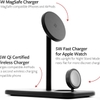
HiRise 3 Magsafe Charger
Twelve South · $60
 Buy
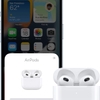
AirPods (3rd gen)
Apple · $180
Setups
Writer’s Cozy Corner

Journalist On-The-Go Kit
On your profile
What's on your page
emmawrites
HiRise 3 Magsafe ChargerIllustration
Your setups
Every public setup you build appears on your profile automatically, so followers can browse your desk, camera bag or studio.
Your 101 Courses (new)
Show the courses you teach about your gear, right on your page. Pick them in the Link-in Bio builder.
Filled in for you
Your page starts with your setups, your published 101 Courses and your newest products, so it's never empty. Remove what you don't want and save.
A live preview of every block
See your page on a phone or desktop as you build it. The preview shows every block, so you can try each one, and you can hide any of them to compare with what visitors see today.
Your bio
A few lines about who you are and what people will find on your page. Write it in the Link-in Bio builder and see it update as you type.
Featured products
Pick up to 10 products to highlight, with their photos, so people see the gear, not a list of anonymous links. Show them as a grid or a swipeable carousel.
An intro video
Put a video at the top of your page: your latest upload, or the one that explains your setup.
Your other links
Add the links you'd expect in any link in bio: your channel, newsletter or shop.
Patreon, Buy Me a Coffee and Shopify buttons
Dedicated buttons for the places you already earn.
Promo codes
Add a promo code to a product so your audience gets the discount, tracked separately from the buy button.
Why it's different
Product cards, not a list of links
A typical link in bio is a column of text buttons: “My desk setup”, “Camera gear”, “Discount codes”. Followers have to click to find out what's behind each one. On Setup101 they see the products straight away, grouped the way you use them, so the link in your bio does the job of the gear list in your video description too. If you mostly sell your own digital downloads rather than other brands' gear, a storefront tool may suit you better.
A typical link in bio
What's behind each one?
Setup101
- HiRise 3 Magsafe Charger
- AirPods (3rd gen)
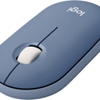 Logitech Pebble Mouse
The products, straight away
Always current
Your setups appear automatically
You don't maintain your link in bio separately. Each public setup you build shows up on your profile, and when you swap a product in a setup, your profile, the setup page and every video that links to it update together. How setups work and why the link never goes stale. Your profile's address is setup101.io/yourname, and every setup has its own short link for your bio, descriptions and pinned comments.
Writer’s Cozy Corner
Editing- Buy
HiRise 3 Magsafe Charger
Twelve South · $60
- Buy
AirPods (3rd gen)
Apple · $180
- Your profile
- The setup page
- Everywhere you shared it
Updated together. Nothing to maintain separately.
Pricing
What each plan includes
Featured products, buy links, promo codes, analytics and how many courses show on your page depend on your plan. See pricing for what each plan includes.
Alternatives
Compared with other link-in-bio tools
See the honest comparisons with Linktree, Beacons and Stan Store, including where each one is the better choice. Or read our roundups of the best Linktree alternatives and the best link in bio for affiliate marketing.
Questions, answered