How do I create a 101 Course?
Available on:All plansLast updated
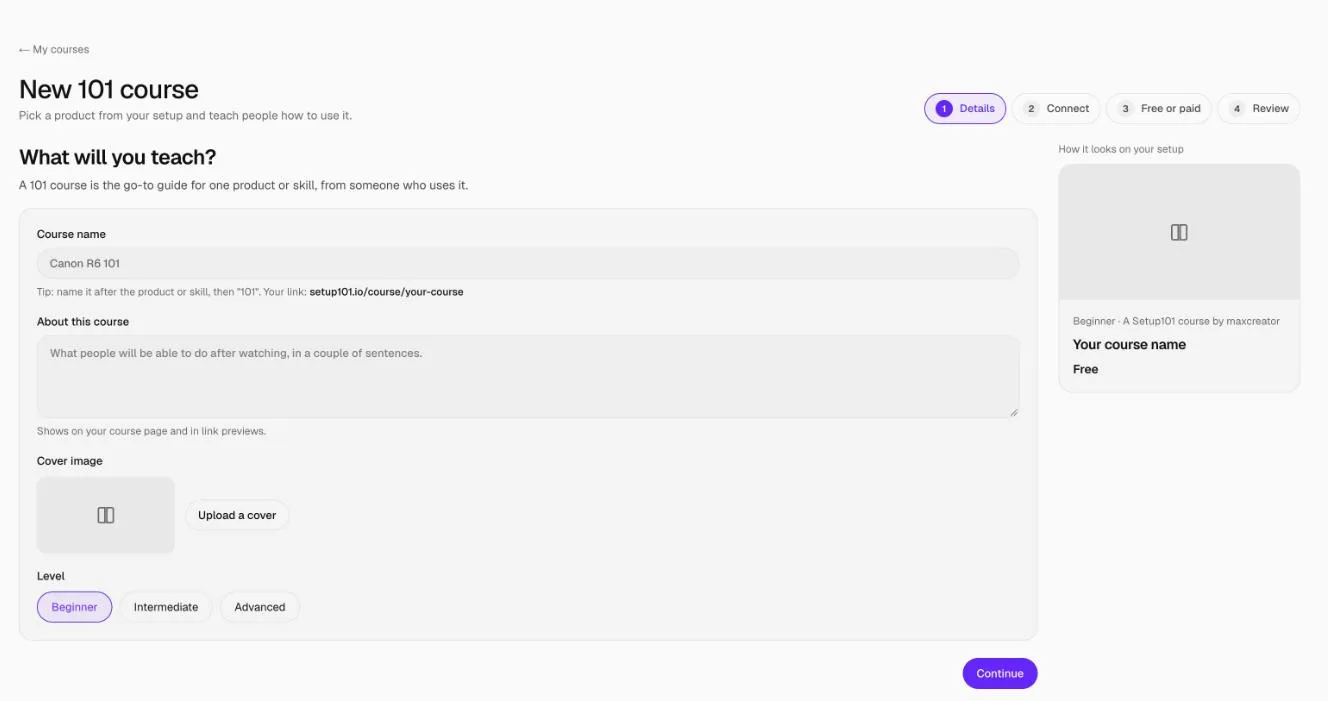
Open 101 Courses in the sidebar and click New course. Give it a name, connect it to one of your setups and the products or apps it teaches, then click Create course and add lessons.
How to create a 101 Course
- In the sidebar, under Courses, click 101 Courses.
- Click New course.
- Details: enter the Course name (for example "Canon R6 101") and About this course: what people will be able to do afterwards, in a couple of sentences. Add a cover image with Upload a cover, and choose the Level and category.
- Connect: under Connect it to your setup, pick the setup this course belongs to. Under Which products and apps does it teach?, pick the gear it covers. A course needs a setup or at least one product.
- Free or paid: choose Free. Paid courses are coming soon.
- Review: check how it looks on your setup. Tick Show in your link in bio if you want it there.
- Click Create course and add lessons. Your course is saved as a draft and the lesson editor opens.
Nothing is public until you publish the course.
What makes a good 101 Course?
- One outcome. "Get great audio from the Rode VideoMic" beats "Everything about audio".
- Short lessons. 5 to 15 minutes each, and under an hour in total.
- Teach the gear you actually use, in the setup it's connected to. That's what learners came from.
FAQ
Can I change the name later?
Yes, in the course's Details tab. The course's web address doesn't change when you rename it, so links you've already shared keep working.
Can a course teach more than one product?
Yes. Pick every product and app it covers. The course then shows on each of those product pages.
Do I need a setup first?
You need a setup or at least one product to connect it to. Create a setup first if you don't have one.
Related
More in 101 Courses
- What is a 101 Course on Setup101?
- How do I add sections and lessons to a 101 Course?
- How do I add product cards to a 101 Course lesson?
- How do I publish and share my 101 Course?
- How do I link a course I sell on Teachable or Udemy?
- How do I enrol in and take a 101 Course?
- How do I see who's taking my 101 Course?
- How do I edit, unpublish or delete a 101 Course?
- Which video sites can I use in a 101 Course?
Still stuck? Email support@setup101.co.