How do I edit, unpublish or delete a 101 Course?
Available on:All plansLast updated
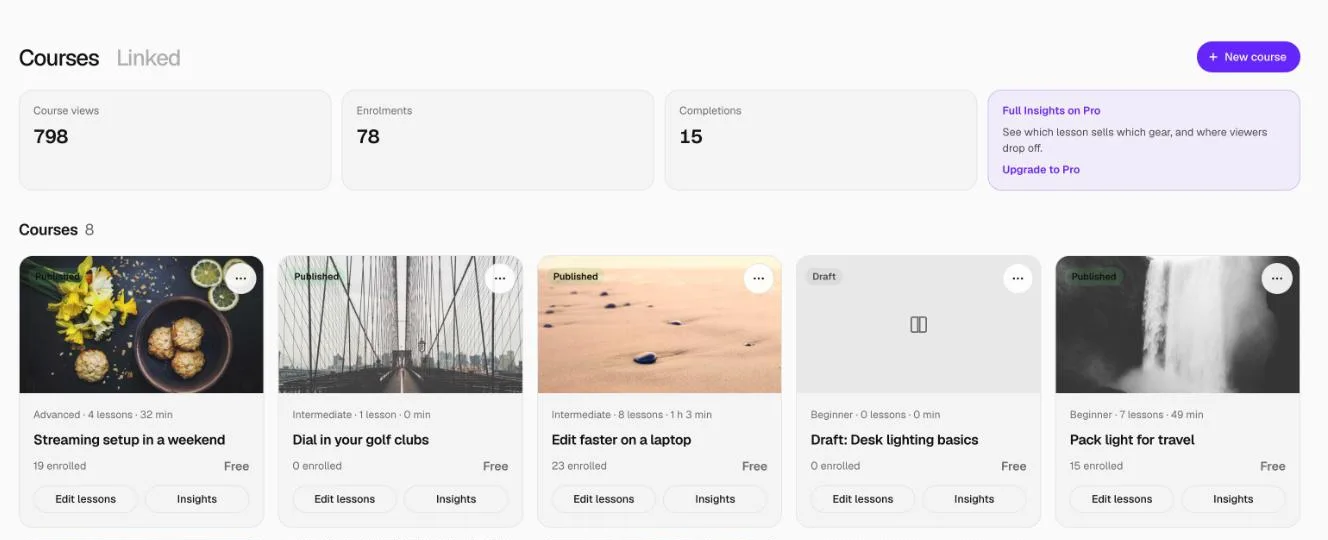
Open the course from 101 Courses. Change lessons in the Lessons tab and the name, description, cover, level, setup and products in the Details tab. Use Unpublish to hide it, or Delete course at the bottom of Details to remove it.
How to edit a course
- Go to 101 Courses and open the course, or click Edit lessons on its card.
- Lessons tab: edit any lesson and click Save lesson.
- Details tab: change the course name, About this course, cover, level, category, setups, products and Show in your link in bio, then click Save details.
Changes to a published course show straight away. The course's address doesn't change when you rename it.
Unpublish or delete?
| Action | What happens |
|---|---|
| Unpublish | Hidden from your setups, products, profile and link in bio. You can publish it again any time. People already enrolled keep access. |
| Delete course | If nobody is enrolled, the course and its lessons are deleted. If anyone is enrolled, it's archived instead: hidden for good and can't be published again, but enrolled learners keep access. |
FAQ
Can I get a deleted course back?
No. If you might want it again, unpublish it instead.
Will the link still work after I unpublish?
Only for people who are enrolled. Everyone else sees "This course isn't available".
Related
More in 101 Courses
- What is a 101 Course on Setup101?
- How do I create a 101 Course?
- How do I add sections and lessons to a 101 Course?
- How do I add product cards to a 101 Course lesson?
- How do I publish and share my 101 Course?
- How do I link a course I sell on Teachable or Udemy?
- How do I enrol in and take a 101 Course?
- How do I see who's taking my 101 Course?
- Which video sites can I use in a 101 Course?
Still stuck? Email support@setup101.co.